Drum Room
A sixteen-track drum studio. Tap the pads, program steps, shape every hit and every sound, then chain your patterns into a full song and export it.
- 16 sounds per kit
- 64 patterns
- 30 built-in kits
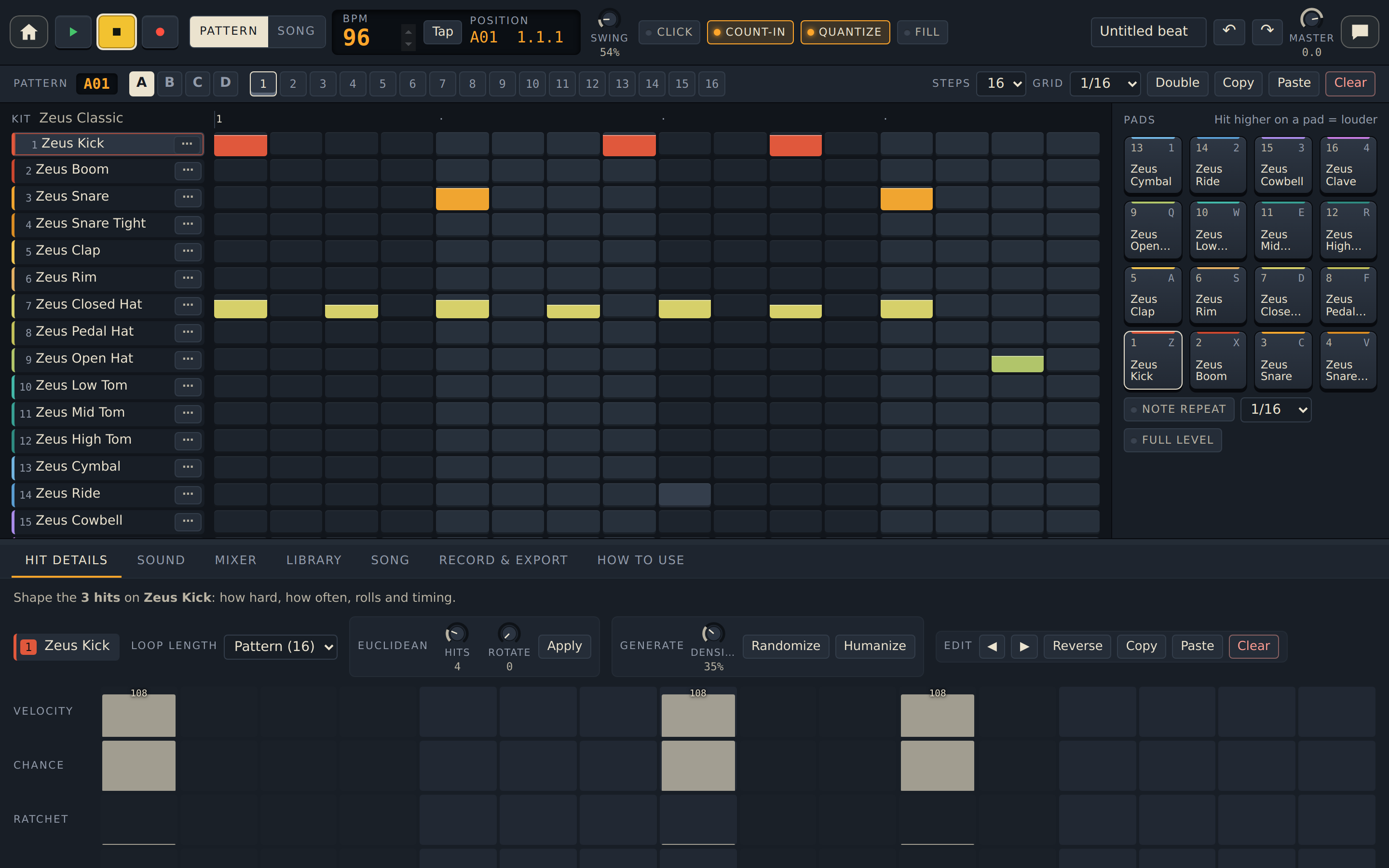
Everything in Drum Room
Play, stop and record
- Green play loops the pattern; yellow stop stops it.
- Red record adds the pads you tap to the pattern while it plays.
- Count-in gives you one bar of clicks first; Quantize snaps your hits onto the beat.
- Undo and redo any change.
Tempo and timing
- Type a BPM from 20 to 300, or tap Tap along with the beat.
- Swing adds a shuffle.
- Click plays a metronome while the beat plays.
- Hold Fill to play the hits set to the fill condition.
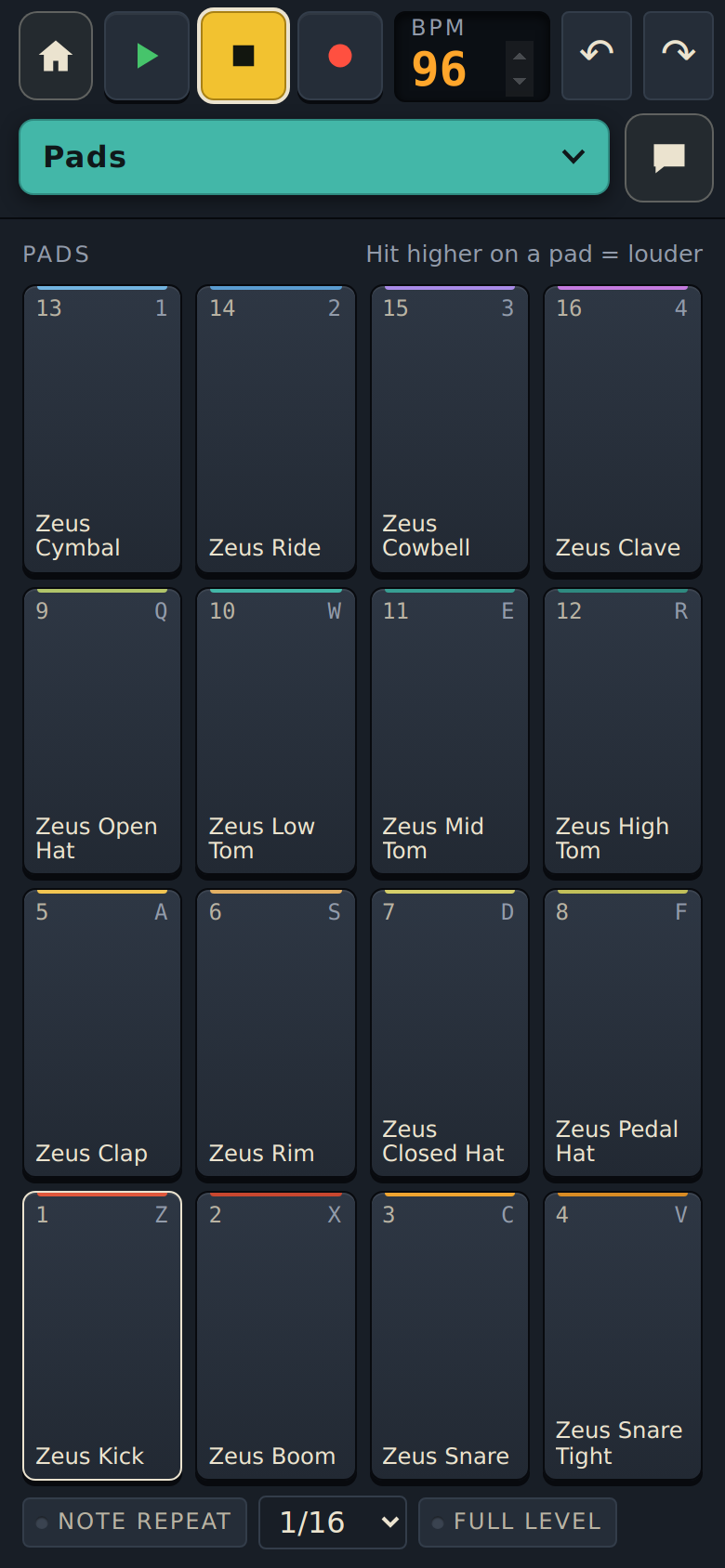
Sixteen pads
- Each pad plays one sound and picks it for editing.
- Hit higher on a pad to play louder, or turn on Full Level.
- Note Repeat rolls a pad at the rate you choose while you hold it.
- On a computer, four rows of keys play the pads.
Step sequencer
- One row per sound; tap a square to add or remove a hit.
- Steps sets the pattern length, up to 64. Grid sets the spacing: 1/8, 1/8T, 1/16, 1/16T or 1/32.
- Double repeats the pattern to make it twice as long. Copy, Paste and Clear work on the whole pattern.
- Mute and Solo each sound.
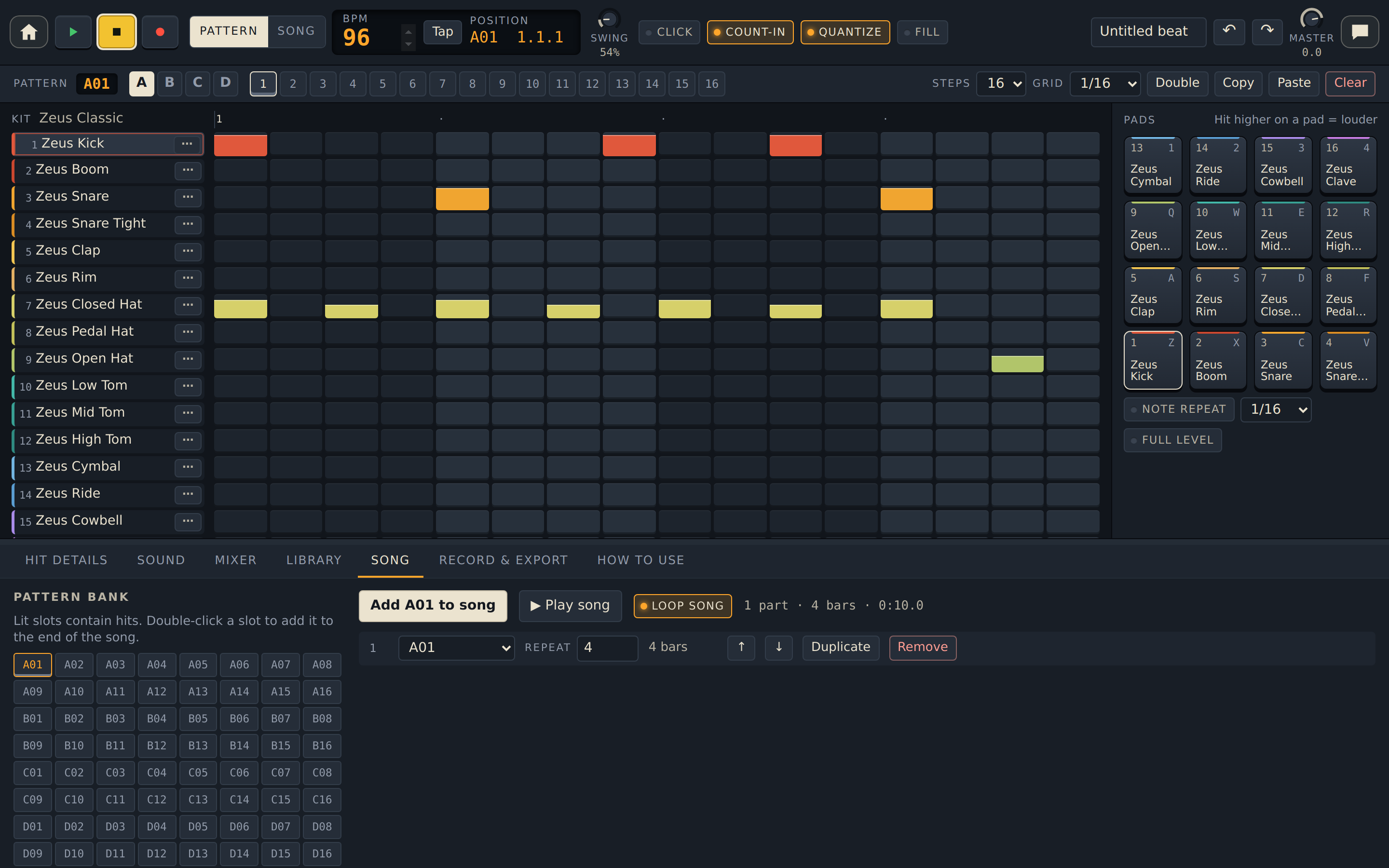
- 64 patterns, in lettered banks A to D with 16 slots each.
Hit Details
Fine-tune each hit of the sound you picked. Drag across a row to set it for every hit:
- Condition picks which loops a hit plays on, such as the first loop only, fills only, or 1 of every 4.
- Euclidean spreads a number of hits evenly, with rotation.
- Randomize makes new hits at the density you set; Humanize loosens them so they feel played by hand.
- Shift all hits left or right, or Reverse them.
- Loop length lets one sound repeat on a shorter cycle than the rest of the pattern.
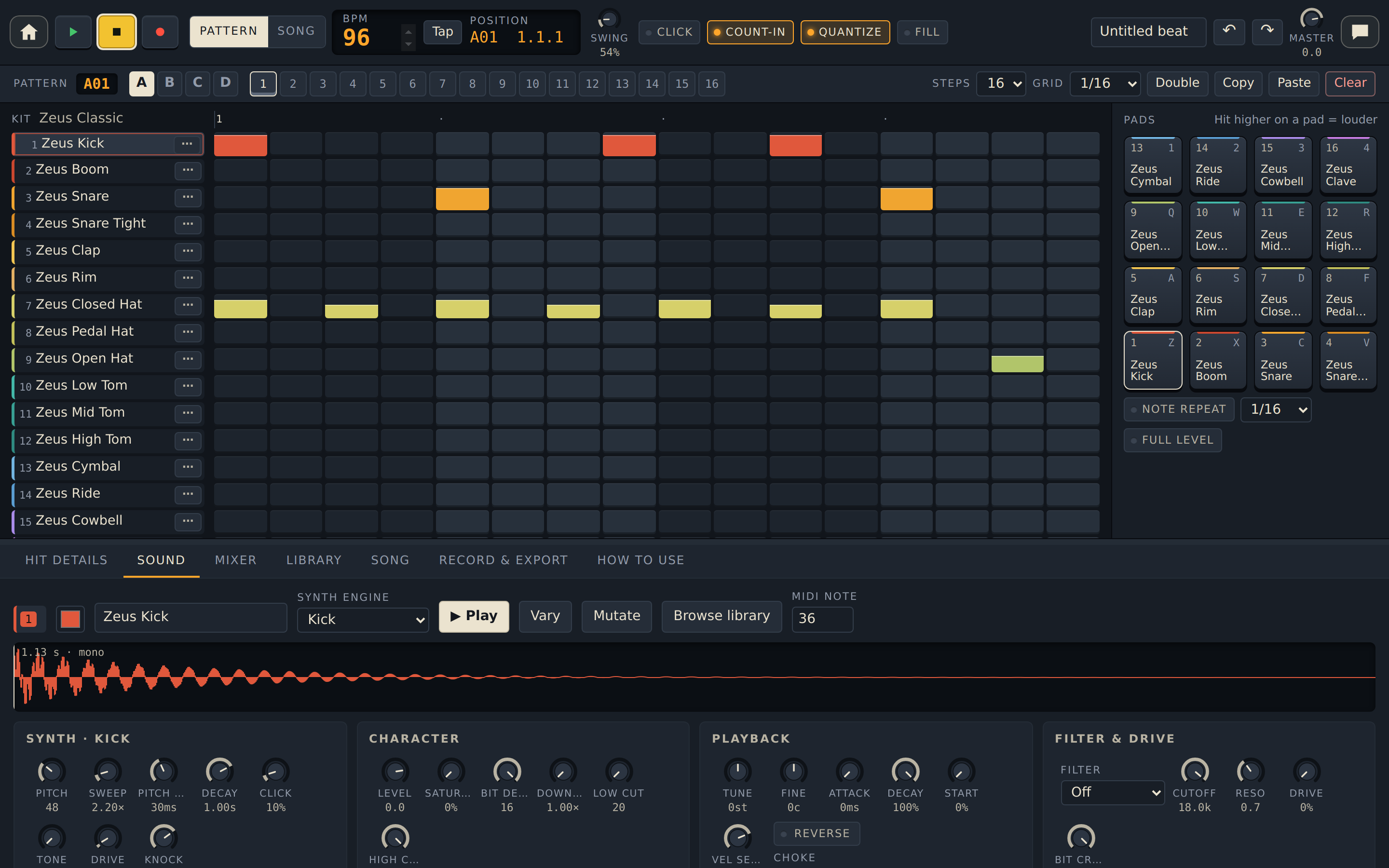
Sound shaping
- Every built-in sound is made by a synth engine you can adjust, with its own controls and a waveform view.
- For any sound: Tune, Attack, Decay, Start, Reverse, a Filter, Drive, Bit crush, EQ, Pan, Volume, and how much Reverb and Delay it gets.
- Vary makes a small change to a built-in sound; Mutate makes a big one.
- Choke groups let sounds cut each other off, like an open and closed hi-hat.
- Rename and recolor any sound, and set its MIDI note.
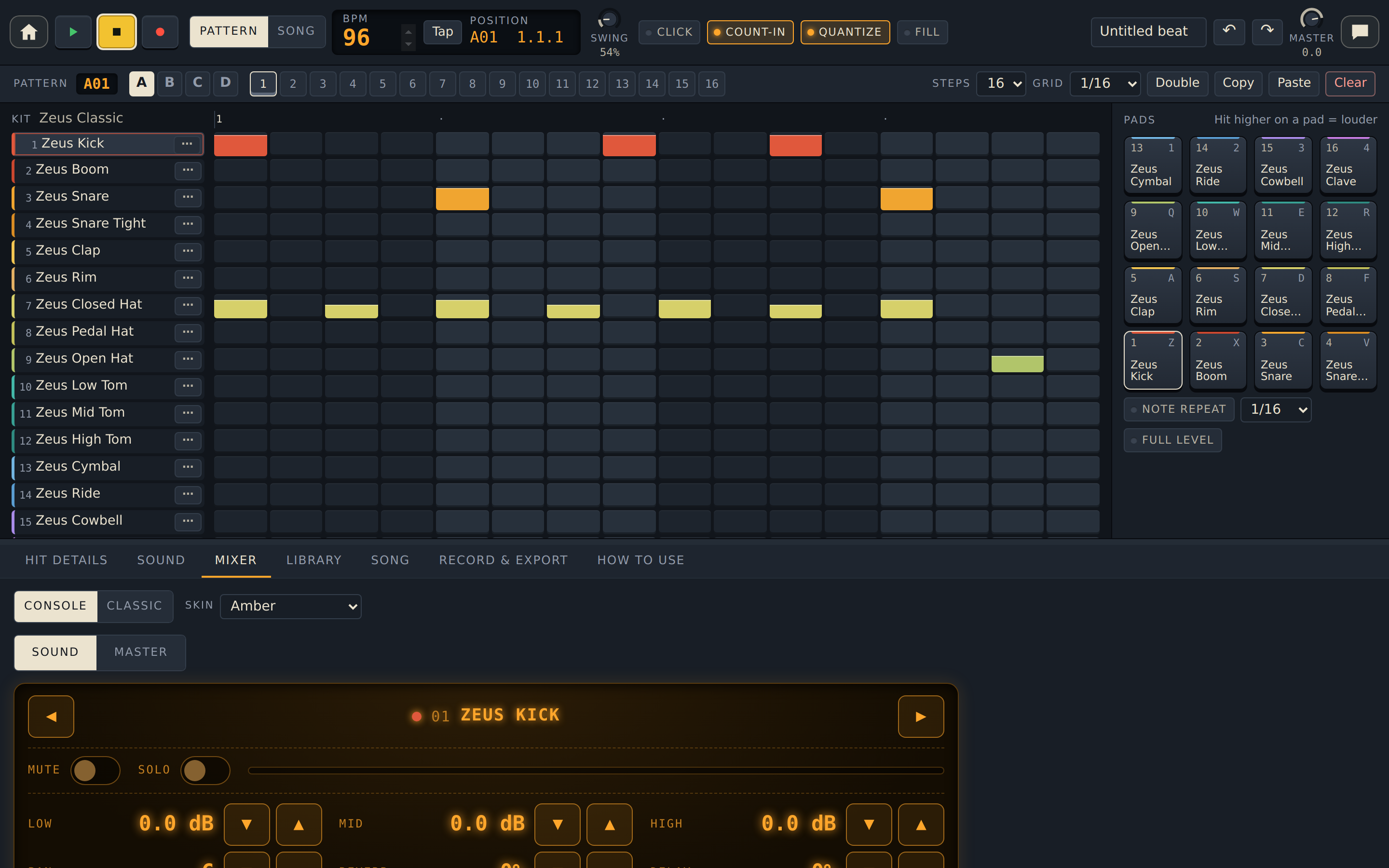
Mixer
- A console display shows one sound at a time: Low, Mid and High EQ, Pan, Reverb, Delay, Mute, Solo and Volume.
- Master: overall volume, a compressor that glues the mix, a limiter that stops it distorting, and settings for the reverb and delay.
- Skin changes the display colour. Classic shows every sound side by side.
Library and kits
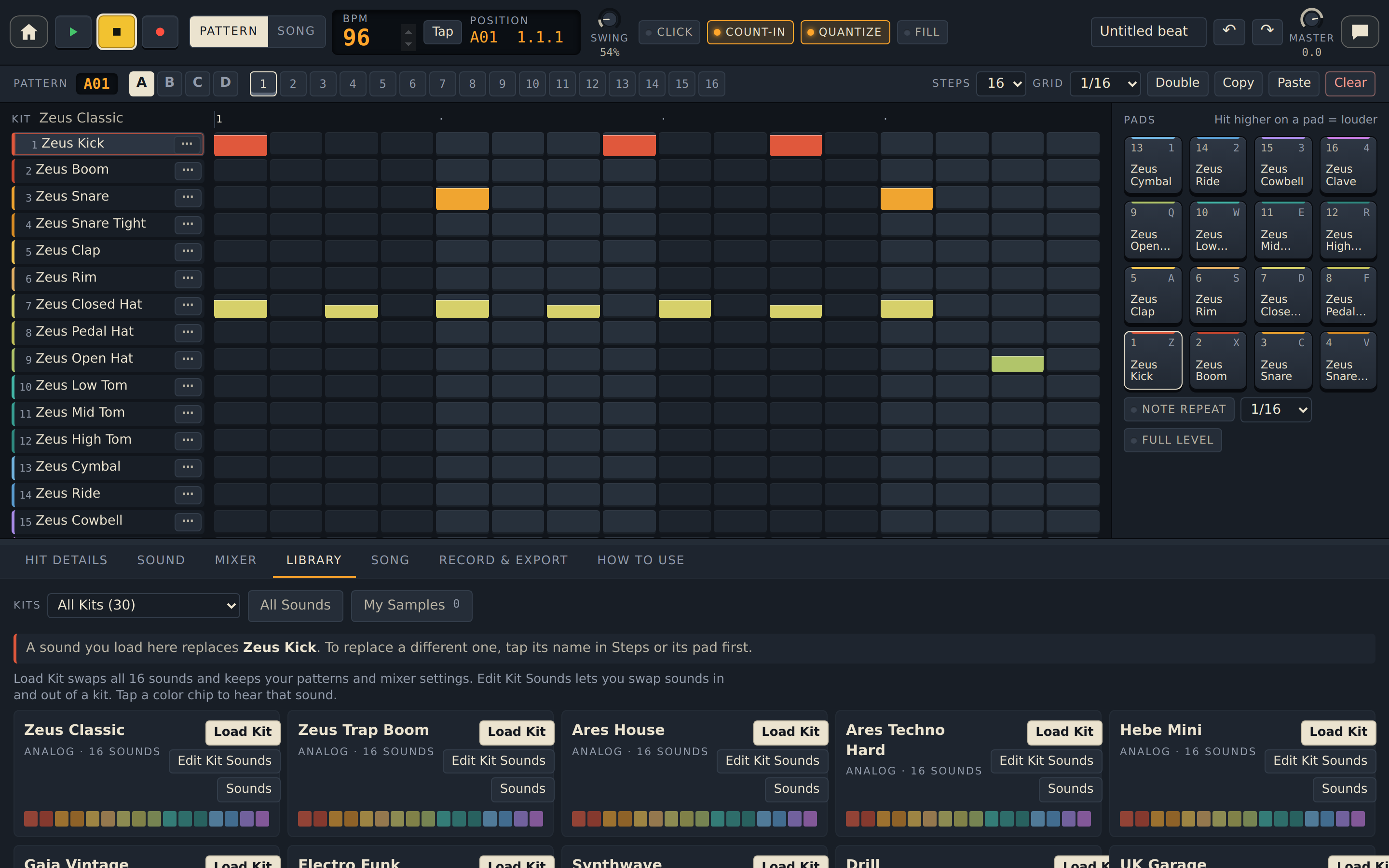
- 30 built-in kits in five styles: Analog, Electronic, Acoustic, Lo-Fi and World.
- Load Kit swaps all 16 sounds and keeps your patterns.
- Generated Kits makes brand-new kits.
- Edit Kit Sounds builds your own version of a kit from any kit's sounds or your samples. Save Kit keeps it in My Kits; Restore Original undoes changes to a built-in kit.
- All Sounds searches every sound.
- My Samples holds audio files you import: WAV, AIFF, MP3, OGG or FLAC.
Song mode
- Chain patterns into a song, set how many times each part repeats, and reorder, duplicate or remove parts.
- Switch from Pattern to Song to play the whole thing. Loop song starts it again at the end.
Record and export
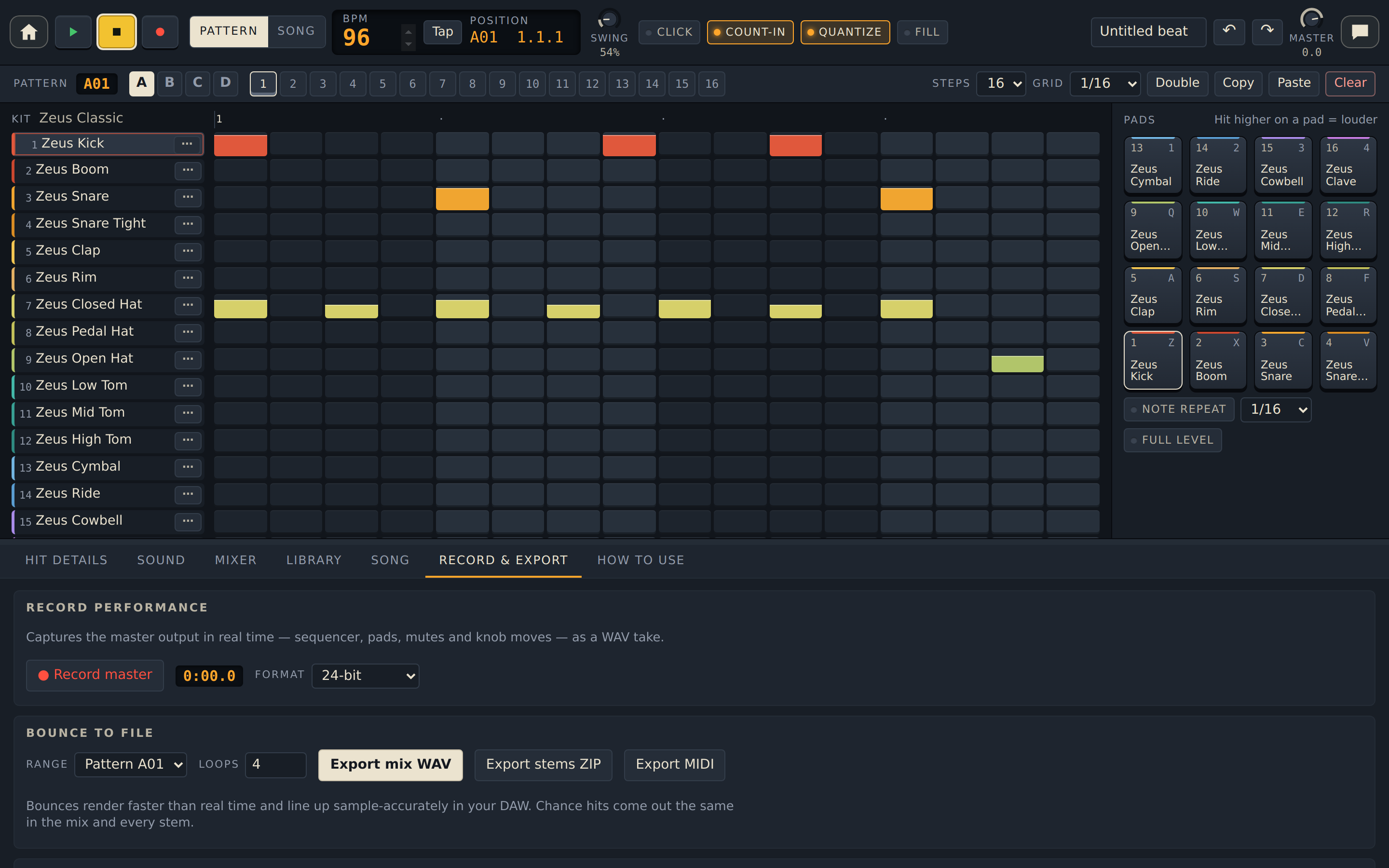
- Record master records everything you play and change as a WAV file.
- Export mix WAV saves the pattern or song as one file. Export stems ZIP saves one file per sound. Export MIDI saves the notes for other music apps.
- Sample from Input records your microphone into the sound you picked.
Projects
- Your beat saves itself as you work, and Save keeps named projects in your browser.
- Export project file makes a backup you can open on another device with Open project file.
- Drill drums sent from Practice Room open as a new project.
Controllers and keys
- Plays from MIDI pad controllers and keyboards in browsers with Web MIDI; the app points you to Chrome or Edge for this.
- Keyboard shortcuts on a computer: Space plays and stops, Enter records, arrows pick sounds and patterns, M mutes, K solos, hold G for Fill, Ctrl+Z undoes and Ctrl+S saves.
- A built-in How to Use guide covers every section.
Creative ways to use Drum Room
A kit from your kitchen
Use Sample from Input to record a pot lid, a pencil tap and a jar of rice into separate slots. Shape them with Tune and Decay, then save the result as your own kit.
Patterns that drift
Give the shaker a Loop length of 5 or 7 steps against a 16-step beat. It lines up with the kick at a different place each bar.
Loops that never repeat exactly
Set ghost snares to 60% Chance, put a crash on the first loop only, and add a tom roll that plays on 4 of every 4 loops. One pattern starts to sound like a drummer.
Sound design from presets
Load a Generated Kit, then press Mutate on the sounds you like until something new appears. Choose a different synth engine for a slot and start again.
Finish it elsewhere
Export stems for mixing in your own recording software, or export MIDI to trigger the drum sounds you already use.
Euclidean rhythms in seconds
Spread 3 hits over 8 steps on a rim, 5 over 16 on a cowbell, and rotate each until it locks with the kick. Classic world grooves appear from simple numbers.
A closer look
Drum Room comes with Soundlab
Coming soon
Drum Room is one of the four apps in E-bard's Soundlab. Soundlab is in beta and checkout isn't open yet.