Practice Room
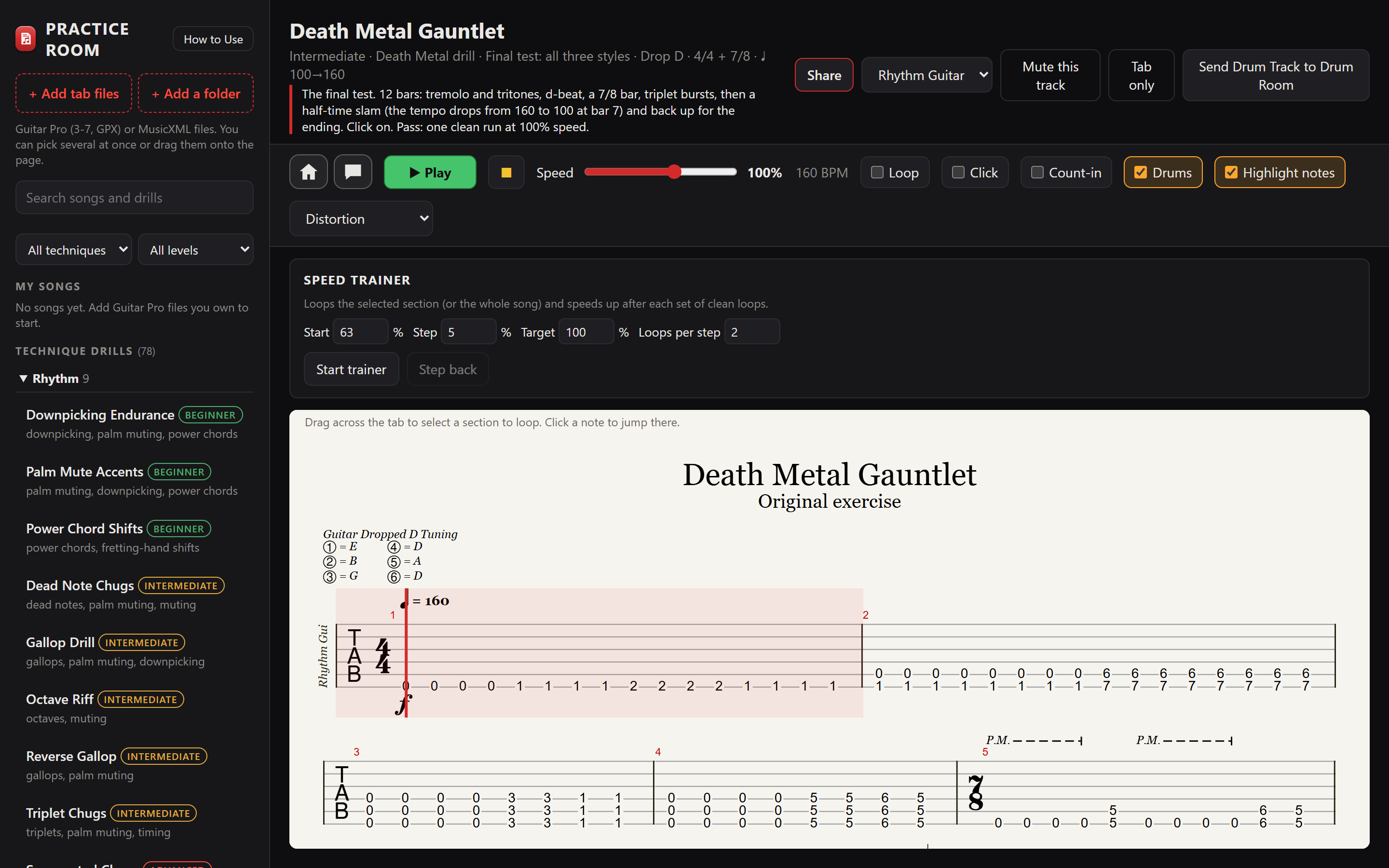
Guitar practice with tab, drums and a speed trainer. Open the Guitar Pro or MusicXML files you own, or pick one of 78 built-in drills, slow it down, loop the hard part and build it back up to speed.
- 78 technique drills
- 16 styles and techniques
- 25–150% playback speed
Everything in Practice Room
Your own tab files
- + Add tab files opens Guitar Pro files (versions 3 to 7, and GPX) and MusicXML files you own.
- Add several at once, add a whole folder, or drag files onto the page.
- Songs stay in your browser. Search them by title, artist, album or file name.
Tab that plays in time
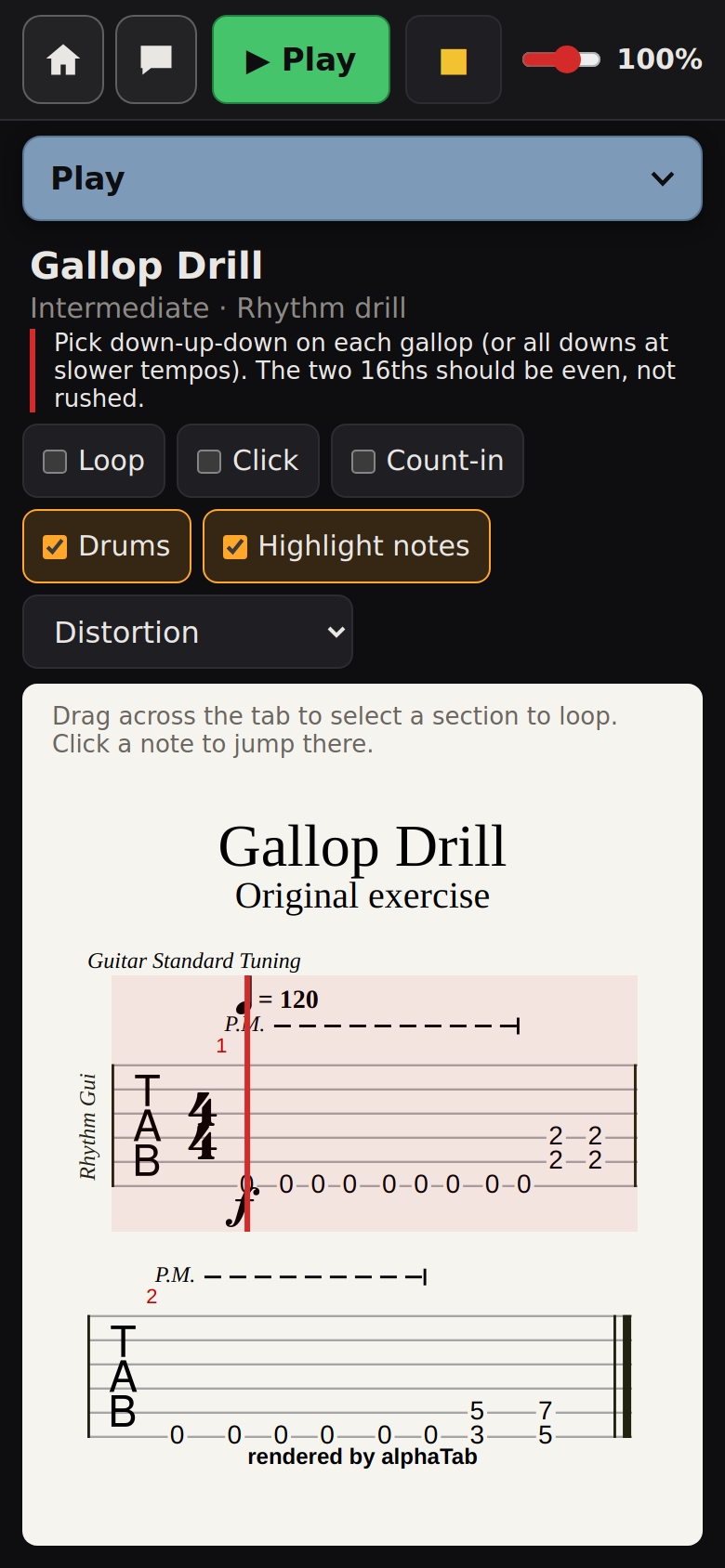
- The tab glides up steadily as it plays, in time with the music.
- Highlight notes lights up each note as you should play it.
- Drag across the tab to pick a section to repeat; tap a note to jump there.
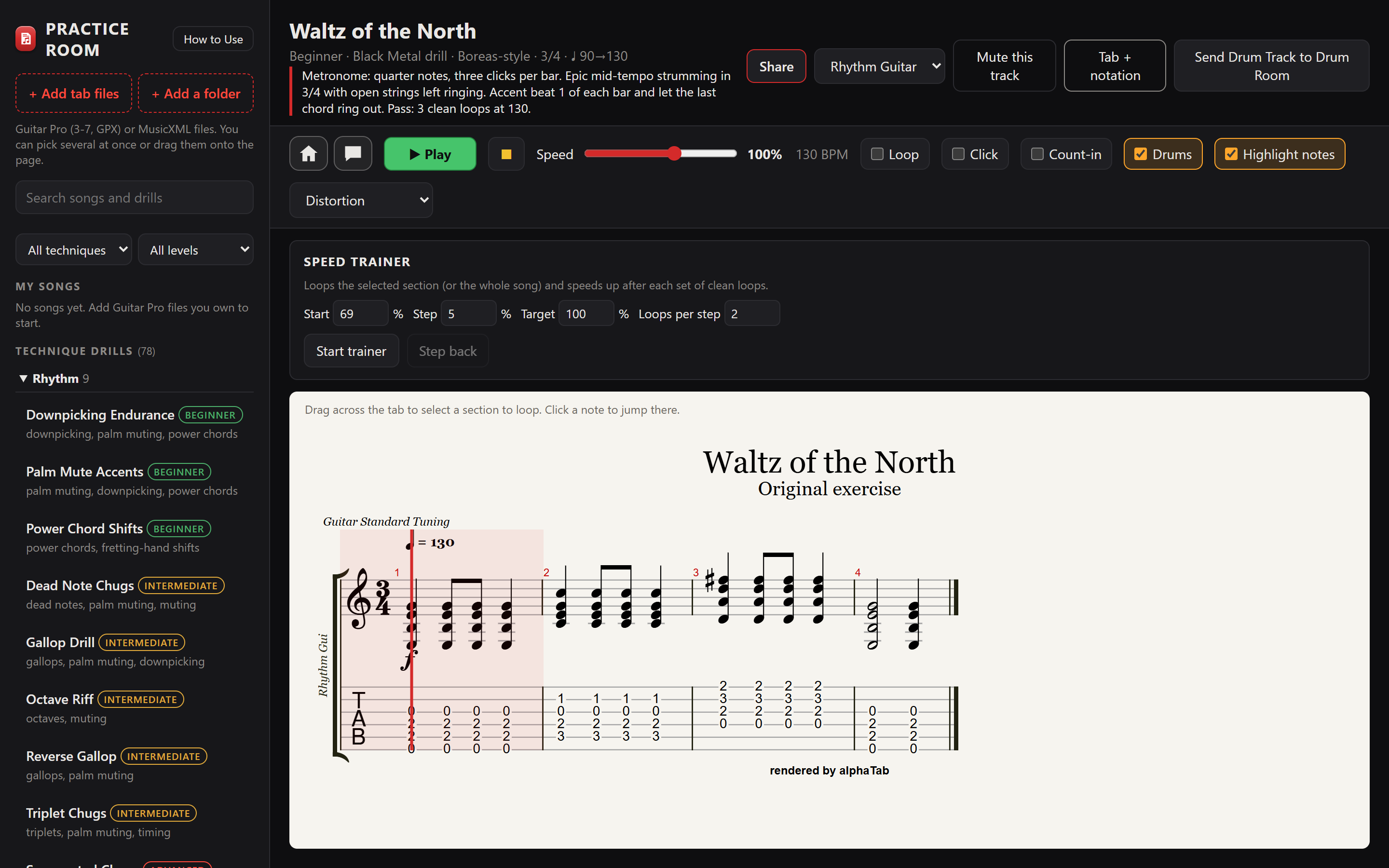
- Switch between tab only and tab with standard notation.
Speed without pitch change
- The Speed slider runs from 25% to 150% without changing the notes.
- Loop repeats the song or section. Click plays a metronome. Count-in counts you in.
- Drums turns the drum track on and off.
Guitar tone
Hear the guitar through Distortion, Crunch or Clean, or keep the file's own sound.
Play the part yourself
- The track menu picks which instrument's tab to show.
- Mute this track silences it so you can play that part over the rest of the band.
Speed Trainer
- Set where to Start, how much to speed up each Step, the Target speed and how many Loops per step.
- It loops the section or song and gets a little faster after each set of loops.
- Too fast? Step back drops one step.
Statistics
- See your total practice time, streaks, practice days and most practiced songs and drills.
- Chart your speed over time for each song or drill against a Goal tempo.
- A speed counts after 30 seconds of continuous playing.
78 technique drills
Original exercises with drums, each with a playing tip and a goal tempo. Filter by technique and level (Beginner, Intermediate, Advanced), or search.
Drills use E standard, Drop D, Drop C or C standard tuning, and some change time signature mid-drill.
Share and send
- Share sends a link to a drill by text message or Facebook, or copies it.
- Send Drum Track to Drum Room opens a drill's drums as a new Drum Room beat, at the speed you're practicing.
Keys and help
- Keyboard: Space plays and pauses, S stops, L loops, M is the click, D is the drums, + and − change the speed, Esc clears the section.
- A built-in How to Use guide.
Practice Room opens files made with Guitar Pro and MusicXML files, but isn't affiliated with or endorsed by Arobas Music or the makers of MusicXML. The drills are original exercises; their style names are Greek gods, not real bands or artists.
Creative ways to use Practice Room
Be the guitarist in the band
Open a Guitar Pro file of a song you own, pick the guitar track and press Mute this track. The rest of the arrangement plays and you fill the gap.
A bass player's room too
If your file has a bass part, pick it from the track menu, mute it and play along with the drums and guitars.
Climb a speed ladder
Select only the hardest two bars. Start the trainer at 60%, step 5%, two clean loops per step, and let it walk you up to the target.
Turn a drill into a song idea
Send a drill's drum track to Drum Room, swap the kit, add a fill on the last loop and export the beat to write your own riff over it.
A practice plan you can see
Tag the songs for your next gig, set a goal tempo for each, and check your speed charts before rehearsal.
Practice in a new style
Filter to Beginner, then work through one style's drills, from Black Metal's 3/4 strumming to Country's Travis picking, with the click on.
A closer look
Practice Room comes with Soundlab
Coming soon
Practice Room is one of the four apps in E-bard's Soundlab. Soundlab is in beta and checkout isn't open yet.