Narration Station
Open a text file or paste anything in, press play, and follow along as each sentence lights up. It reads in your device's voices, or in your own voice with the My Voice add-on.
- 0.5–3× reading speed
- 14–30px text size
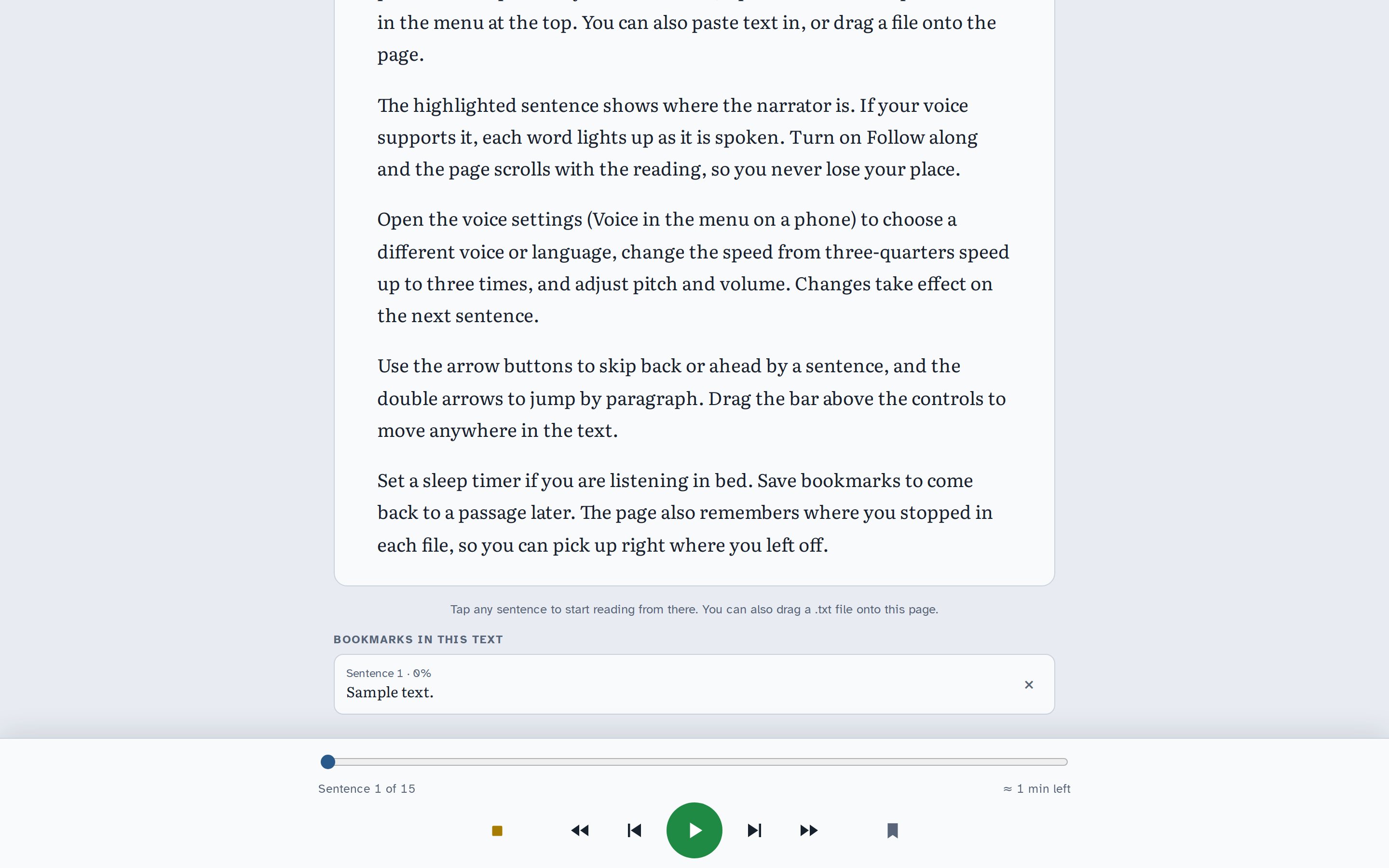
Everything in Narration Station
Open and paste
- Open .txt opens a text file (.txt or .md).
- Paste text reads anything you copy in.
- On a computer, drag a file onto the page.
- It shows the word count and about how long the text takes to read.
Follow along
- The sentence being read is highlighted, and each word lights up as it's spoken when the voice supports it.
- Follow along scrolls the page with the reading.
- Tap any sentence to start reading from there.
An audiobook-style player
- Stop and go back to the start, skip by paragraph or by sentence, play and pause.
- Drag the bar to jump anywhere. It shows which sentence you're on and roughly how much time is left.
- Keyboard: Space plays and pauses, arrows move by sentence, Shift + arrows by paragraph, B adds a bookmark.
Voices
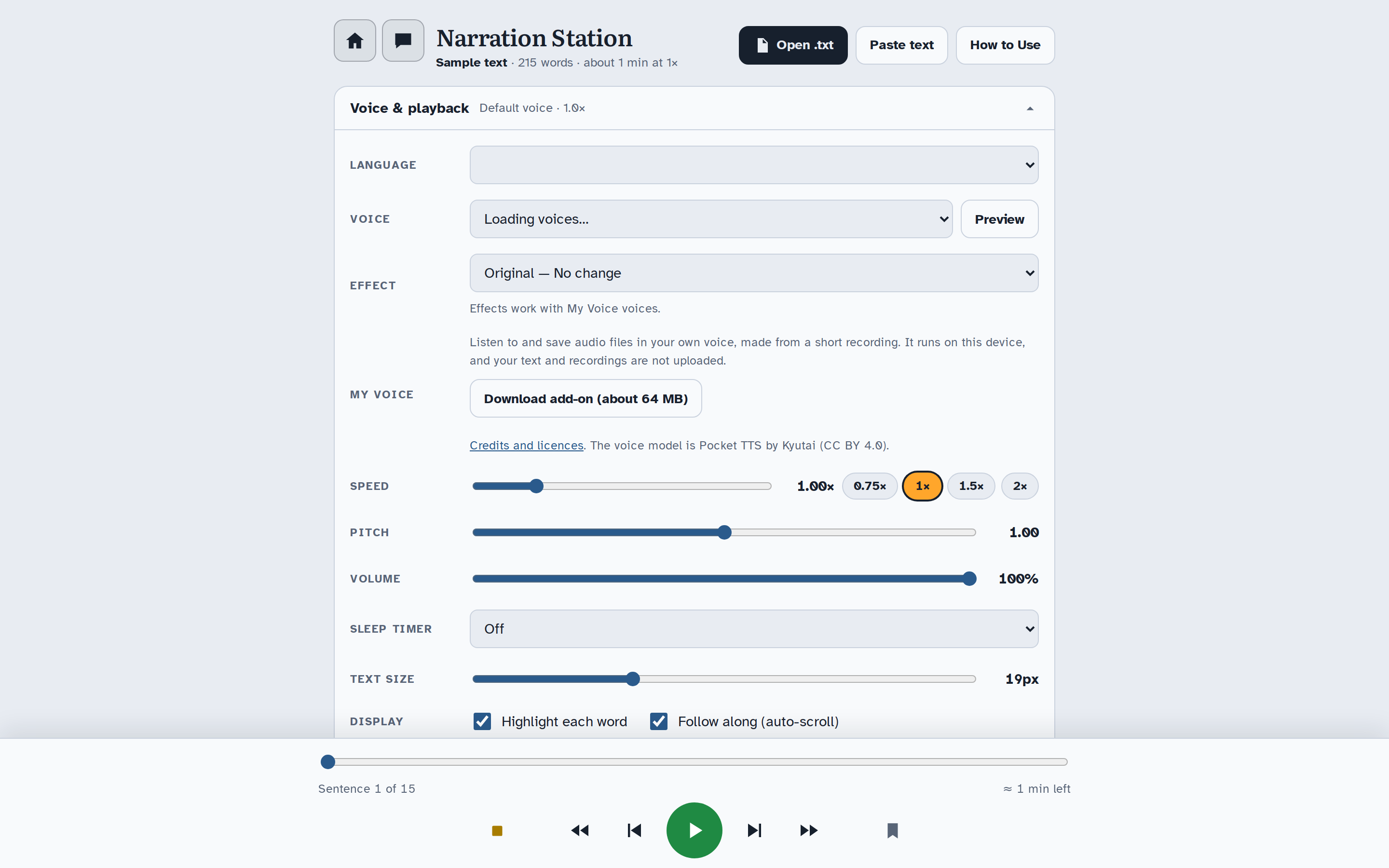
- Pick a Language and Voice from the voices your device and browser provide, and tap Preview to hear one.
- Voices that need the internet are listed separately from voices on your device.
- Speed from 0.5× to 3×, with quick buttons for 0.75×, 1×, 1.5× and 2×. Pitch and Volume too.
Bookmarks and memory
- The bookmark button saves the sentence you're on. Tap a bookmark to jump back.
- The app remembers the last text you opened and where you stopped in each one.
Sleep timer and display
- Sleep timer stops after 5, 10, 15, 30 or 45 minutes, 1 hour, or at the end of the paragraph.
- Text size from 14 to 30 pixels.
- Turn word highlighting and auto-scroll on or off.
- Light and dark themes that follow your device's setting.
My Voice add-on
- Listen in your own voice. Download the add-on once, then make a voice from a clear 5 to 10 second recording of you talking.
- It runs on your device; your text and recordings are not uploaded. The recording itself isn't kept, and saved voices can be deleted at any time.
- A permission box confirms the voice is yours, or that you have the speaker's explicit permission.
- My Voice voices read English. Pitch and word highlighting aren't available with them.
Effects and saving (with My Voice)
- Effect puts a Vocal Studio effect on the narration, such as Radio DJ, Robot, Giant or Cathedral.
- Save as audio makes a WAV file of the whole text, or from the current sentence to the end, effect included.
- Texts longer than 60 minutes are saved in parts, one file each, with an estimate of how long saving will take.
Which device voices appear depends on your device and browser. My Voice uses the Pocket TTS voice model by Kyutai (CC BY 4.0).
Creative ways to use Narration Station
Hear your draft
Paste a chapter, a lyric or a speech and listen at 1.5×. Bookmark every spot that trips you up, then jump back to fix them.
Bedtime reading
Open a story, set the sleep timer to the end of the paragraph, and let it stop at a natural place.
Rehearse your lines
Load a script and step through it sentence by sentence, saying your line before you skip ahead to check it.
An audiobook in your own voice
With My Voice, read a family story or a short book in your voice and save it as audio files to share.
A radio play feel
Read a short scene in your own voice through Old Radio or Phone call for a vintage broadcast, or Cathedral for something grand.
Practice another language
If your device has voices in the language you're learning, paste a text, slow it to 0.75× and follow the highlighted words.
A closer look
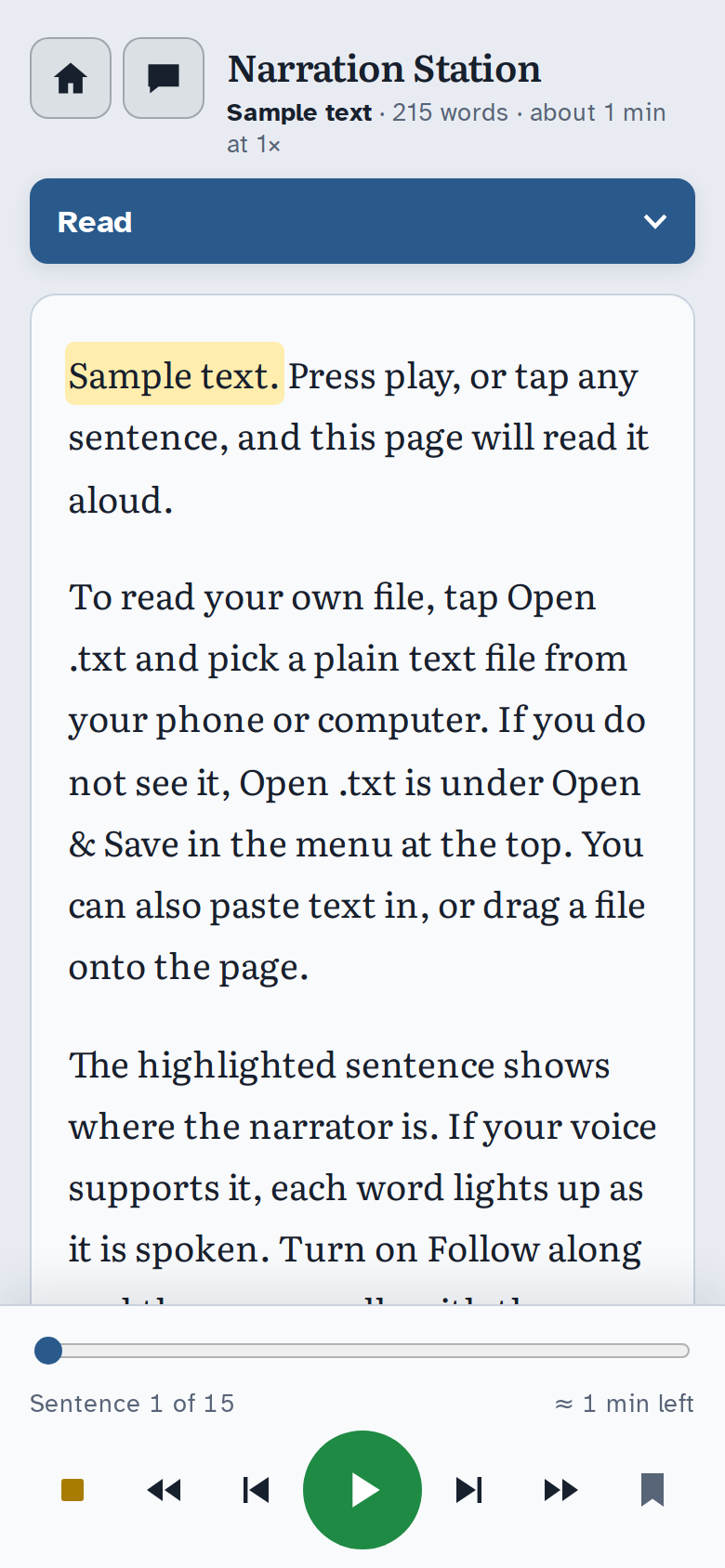
Narration Station comes with Soundlab
Coming soon
Narration Station is one of the four apps in E-bard's Soundlab. Soundlab is in beta and checkout isn't open yet.