Vocal Studio
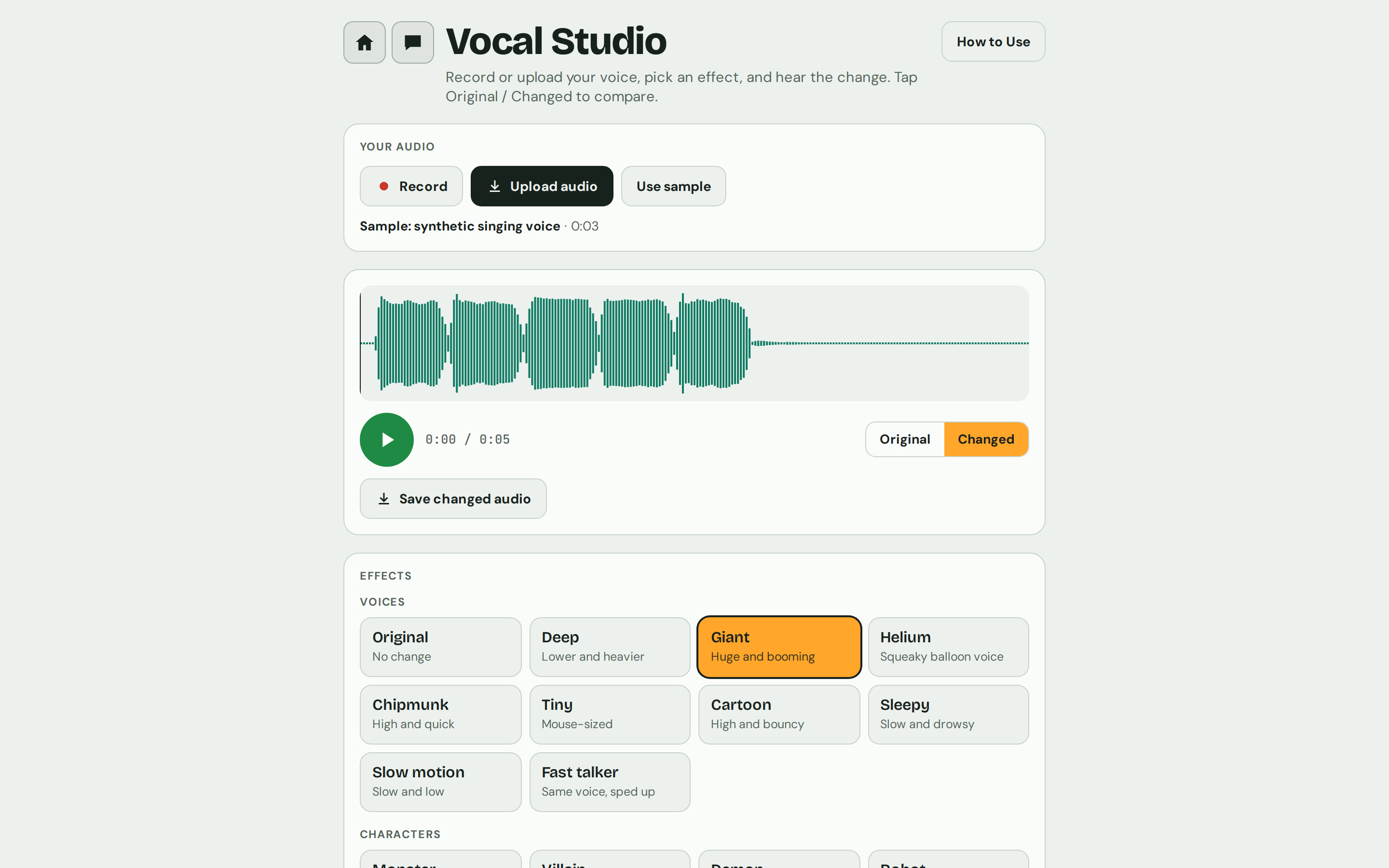
Record or open your voice, pick an effect, and hear the change. Tap Original and Changed to compare, shape it with detailed controls, and save the result.
- 40 effects
- 5 effect groups
- 29 fine-tune controls
Everything in Vocal Studio
Your audio
- Record uses your microphone; tap again to stop.
- Upload audio opens a recording or a video from your device. Long recordings are trimmed to the first 10 minutes.
- Use sample loads a short example singing voice, so you can try effects straight away.
Player and compare
- A waveform player stays at the top. Tap the waveform to jump to that spot.
- Original plays your recording as it was; Changed plays it with the effect.
- Save changed audio downloads the changed version as a WAV file.
Voices
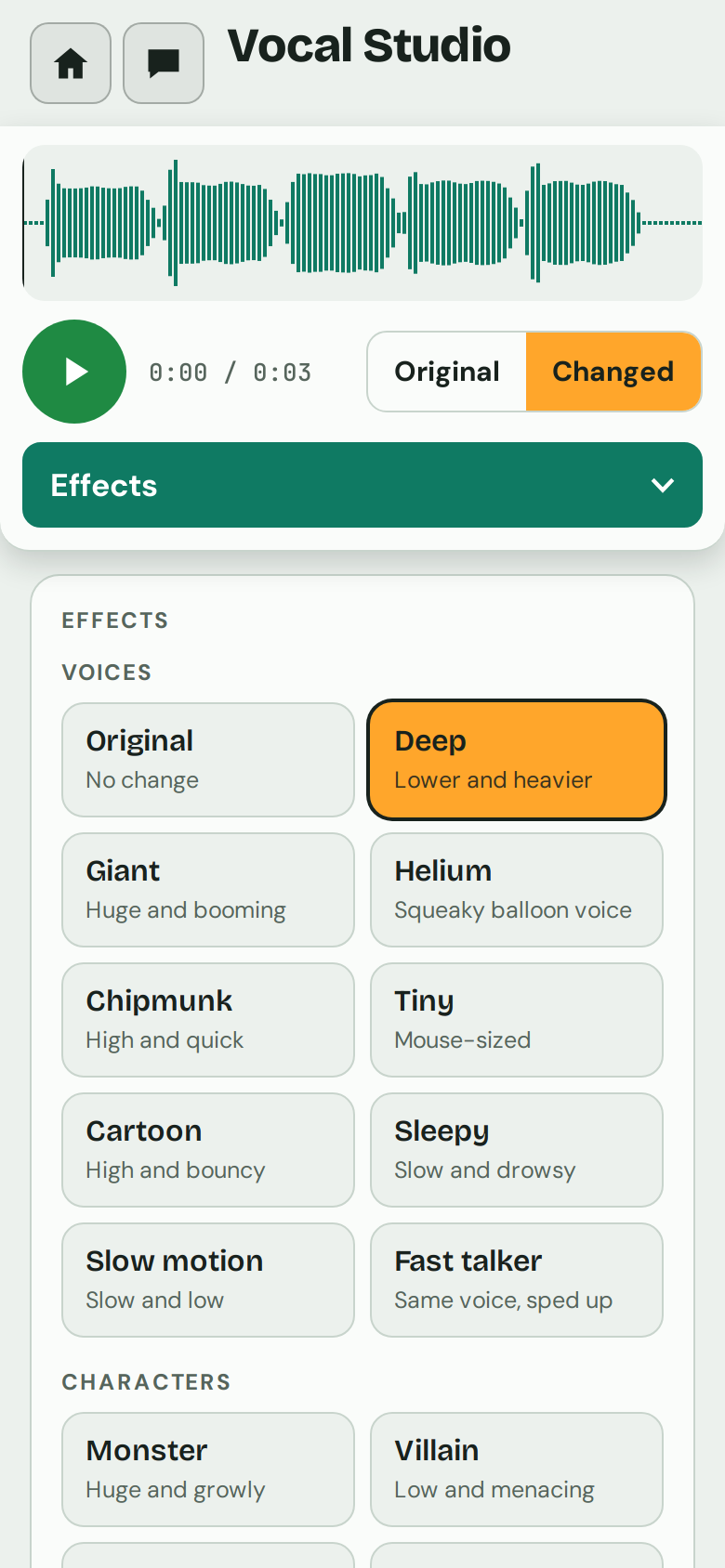
Original means no change, and the app always opens on it.
Characters
Effects
Devices and places
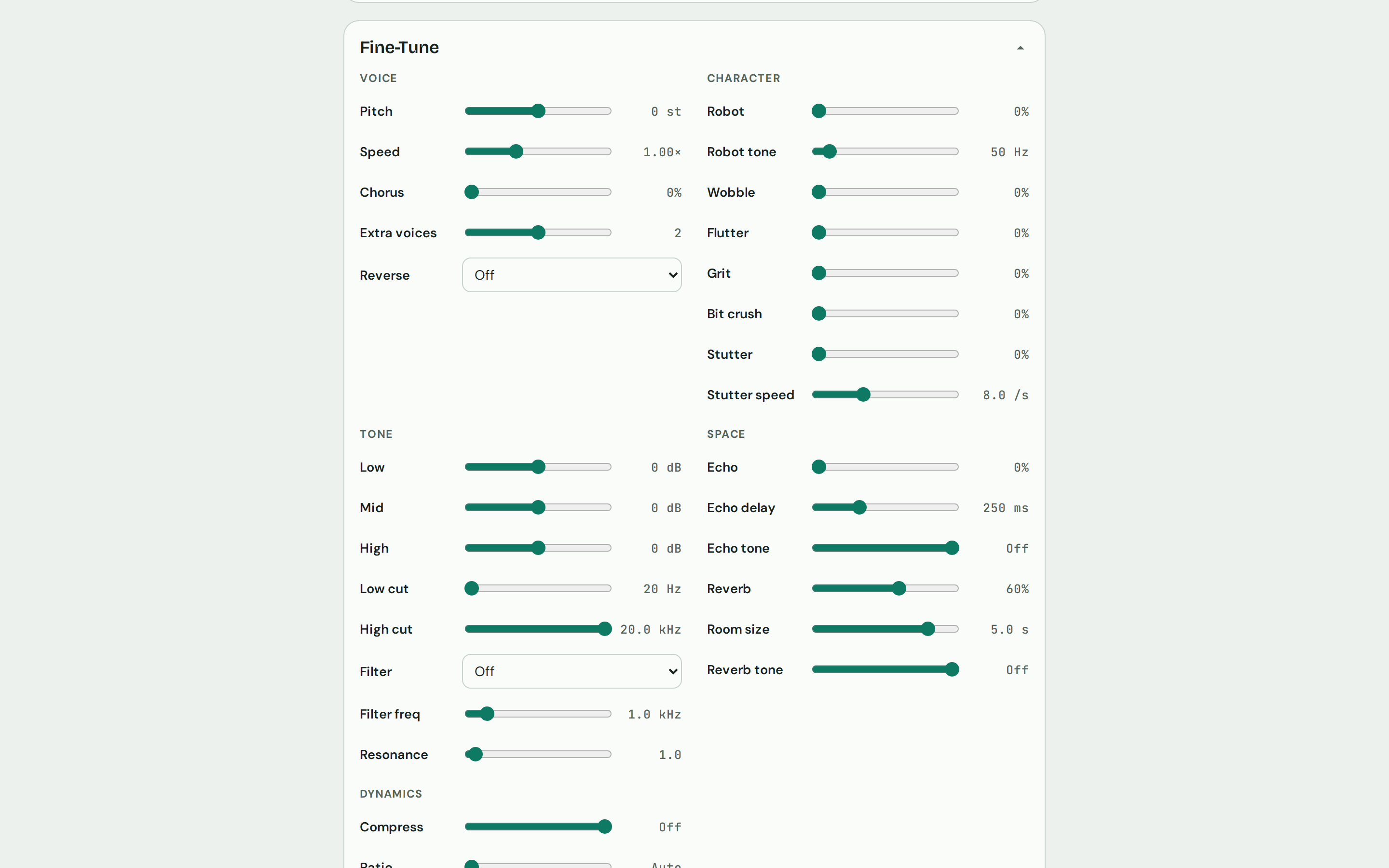
Fine-Tune: voice and character
- Voice: Pitch (up or down 12 semitones), Speed (0.5× to 2×), Chorus with up to 3 extra voices, and Reverse (Backwards or Reverse swell, where the echo rises into each word).
- Character: Robot with Robot tone, Wobble, Flutter, Grit, Bit crush, and Stutter with Stutter speed.
Fine-Tune: tone, space and dynamics
- Tone: Low, Mid and High EQ, Low cut and High cut, and a low-pass, high-pass or band-pass Filter with frequency and Resonance.
- Space: Echo with delay time and tone, Reverb with room size and tone.
- Dynamics: Compress, with a Ratio control, for a punchy, close-up voice.
- Reset to no effect starts over.
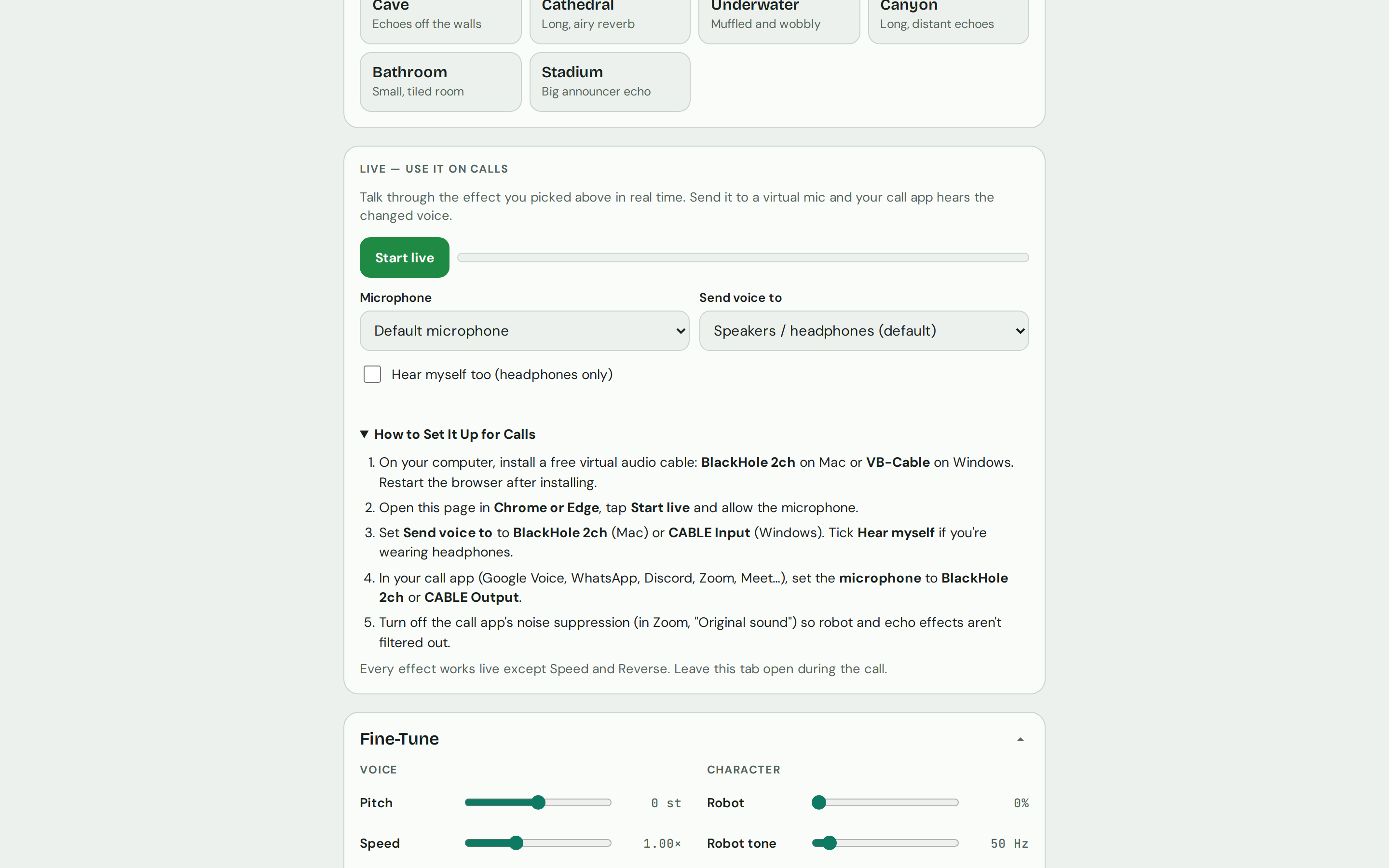
Live, for calls (computer)
- Talk through the effect you picked in real time. Choose your Microphone and where to Send voice to, with a level meter.
- Send it to a free virtual audio cable (BlackHole on Mac, VB-Cable on Windows) and your call app hears the changed voice. Step-by-step setup is built in.
- Hear myself too for headphone monitoring.
- Every effect works live except Speed and Reverse. Live needs a computer; the app suggests Chrome or Edge.
Comfortable to use
- Light and dark themes that follow your device's setting.
- On a phone, the player stays on top and a teal menu switches between Your Audio, Effects, Fine-Tune, Live and How to Use.
- Space plays and pauses on a computer.
Creative ways to use Vocal Studio
Voices for game night
Record each character in a tabletop or audio adventure through Villain, Ghost, Insect or Cyborg, and save each as its own file.
A podcast intro
Read your show name through Radio DJ or Stadium, then nudge the reverb and compression in Fine-Tune until it sits right.
Sound effects from your mouth
Whoosh, click or hum into the mic, then try Haunted Swell, Helicopter or Glitch. Save the ones you like and load them as Drum Room samples.
Stack a vocal
Sing one line and push Chorus with 3 extra voices for a group sound, or use Twins to double it.
Learn what effects do
Pick a preset, then open Fine-Tune to see exactly which controls it moved. Flip between Original and Changed as you adjust each one.
A surprise on the next call
On a computer, route Live through a virtual mic and join a video call as a Robot or a Walkie-Talkie.
A closer look
Vocal Studio comes with Soundlab
Coming soon
Vocal Studio is one of the four apps in E-bard's Soundlab. Soundlab is in beta and checkout isn't open yet.